Table of Contents
Most people open their first Google Ads account feeling pretty optimistic. You add a card, write a few ads, press publish, and wait for the phone to ring. Then a week later you look at the dashboard and wonder where the money went.
I have seen this happen again and again, and it is rarely bad luck. The platform simply bills you for every careless setting, and it does so without any warning. The good news is that the same handful of errors cause most of the damage. Here are the Google ads mistakes to avoid for beginners, along with a sensible fix for each, so your first campaign has a fair chance.
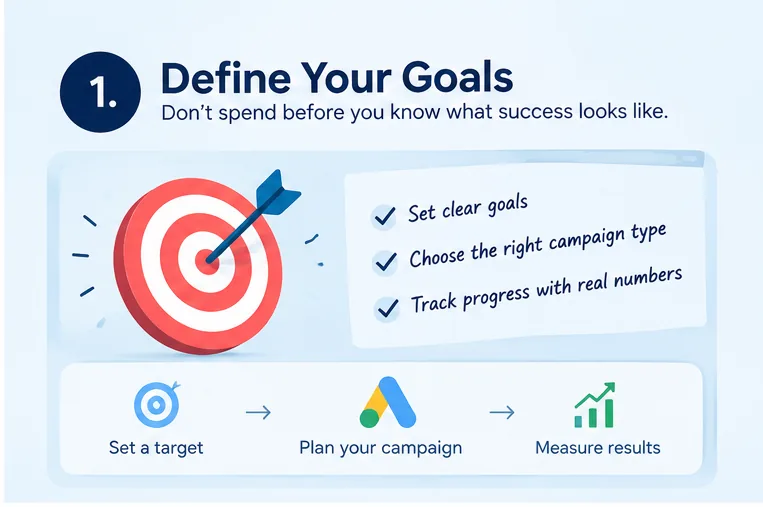
1. Spending Before You Define Success
Think about booking a cab and refusing to tell the driver where you want to go. You would still pay for the ride, but you would end up in some random place. Running ads with no target is the same thing.
Before you spend anything, decide what “good” looks like for your business. Maybe it is 25 enquiries a month, ten booked appointments a week, or a set number of orders at a profit. Put a figure and a time frame on it. That one sentence will guide your campaign type, your ad wording, and the way you judge the results later. Avoiding these Google Ads mistakes for beginners starts with setting clear campaign goals.
2. Guessing What Customers Type
It is tempting to assume you already know the words your buyers use. In practice, people search in surprisingly casual ways. You might be targeting “orthodontic treatment,” while your future patient types “braces cost for adults.”
Spend an hour in Google Keyword Planner before building anything. Look at the monthly volumes, the estimated costs, and the related phrases it suggests. Sort your ideas into small themes so each one can have its own ad group. Lean toward phrases that show someone is ready to act, like “book,” “quote,” “price,” or “near me.” Searches that start with “what is” or “how to” usually come from people still doing homework.
3. Letting Google Stretch Your Keywords Too Far
Match types control how tightly a search has to resemble your keyword. Broad match hands Google a lot of room to interpret, and with a small budget that room gets expensive quickly. An ad for “wooden dining tables” could pop up for someone searching “how to remove stains from wood floors.”
A safer way to begin is with phrase match and exact match, which keep your ads close to what you really sell. Once you have a few weeks of data and a healthy list of excluded terms, you can try broader matching on a small scale and watch the results closely.
4. Forgetting To Block Unwanted Searches
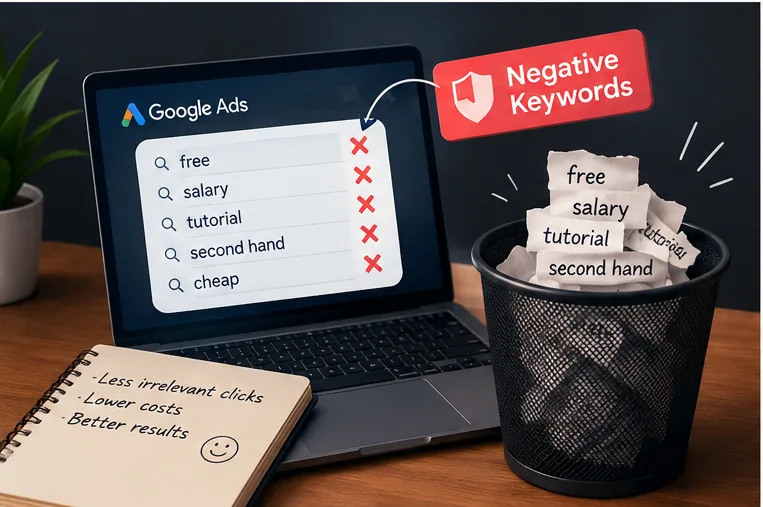
Every campaign draws in a few searches you never intended. Negative keywords act like a bouncer at the door. Without them, you end up paying for window shoppers, job seekers, students, and people hunting for freebies.
Make it a weekly habit to open the Search Terms report, which shows the actual queries that triggered your ads. If you spot words like “free,” “salary,” “tutorial,” or “second hand” that do not fit your offer, add them as negatives. A quick weekly clean-up of unrelated search terms is usually enough to make each lead cheaper, no bid adjustments required.
5. Running Blind Without Measurement
Clicks can feel like progress, but they are not the same as customers. A campaign might attract hundreds of visitors and still bring in nothing. If you have no conversion tracking, you will never know which is happening.
You can also explore AI search optimization strategies for modern business to learn more about improving your online visibility.
Set up the Google Ads tag or Google Tag Manager before launch, then test it. Record the actions that matter, such as purchases, phone calls, and form submissions. Linking Google Analytics 4 gives you a second angle on how visitors behave. Tracking also matters because Google’s automated bidding learns from your conversions. If it has nothing to learn from, it makes weaker choices on your behalf.
6. Pointing Clicks At A Page That Doesn’t Answer Them
Picture typing in “waterproof trail boots, men’s 9” and being dropped onto a generic home page that sells everything except what you asked for. That tab is gone within moments.
Give every ad group a landing page that follows through on the ad’s promise. Repeat the offer in the main headline, explain the benefits in a few short lines, add something that builds trust, like reviews or ratings, and offer one clear next step. Pull it up on your mobile as well, and see how it looks and loads in your hand. Mobile visitors have little patience, and slow pages lose them fast. Choosing the right landing page is one of the most important Google Ads mistakes to avoid for beginners to understand.
7. Sounding Like Every Other Advertiser
Browse a page of ads for almost any service and the same stock claims keep appearing, such as “Top quality,” “Lowest rates,” and “Experts you can trust.” People scroll past them without a second thought.
Be specific instead. A real number, a clear guarantee, or a promise your competitors cannot match will stand out. “Same-day AC repair or the visit is free” gives people a reason to click, while “Reliable cooling solutions” does not. Use your main keyword in a headline, end with a clear call to action, and write plenty of headline options so Google can test which combinations work best.
8. Trusting Pre-Selected Campaign Boxes
The campaign setup screen arrives with several options already ticked, and many of them favor wide reach over careful spending. Two worth reviewing are the Display Network and Search Partners. Both can place your ads on sites that deliver cheap clicks which rarely turn into customers.
Look at your location settings as well. If you serve only one city, target people who are actually in or regularly visit that area, not everyone who has shown curiosity about it. Double-check that your language targeting is right and that your ads run at the hours you want. Spending five minutes here can save you weeks of slow budget leakage.
9. Leaving Ad Real Estate Unused
Assets, which used to be called extensions, let you add extra links, phone numbers, and short highlights beneath your ad. Plenty of newcomers skip them completely. That is a bit like paying for a shop window and then leaving half of it bare.
Use sitelinks to send people straight to the pages they need most, callouts to mention extras such as complimentary delivery, and structured snippets to show the range of services you provide. If you want calls, include a call asset, and local businesses should add a location asset. Together, these make your ad bigger and more convincing, and they often lift click-through rate without any extra charge.
10. Feeding The Algorithm The Wrong Budget And Bid
Two opposite errors show up all the time. Some beginners set the daily budget so low that the campaign barely gathers any information. Others pour in a large sum before they have any idea what works.
A good approach is to choose an amount you are comfortable treating as the cost of learning. Make sure each campaign can still generate meaningful traffic every day. If you have no conversion history yet, manual bidding or Maximize Clicks with a bid limit can help you collect early data. After around 30 conversions, switching to Maximize Conversions or Target CPA is often a sensible step. Matching your bidding method to your goals and data matters more than any clever trick.
11. Walking Away After Launch
A campaign behaves more like a garden than a vending machine. Rivals enter the auction, seasons shift, and ads grow stale. If you leave things untouched for a month, you may be wasting money without ever noticing. Knowing the Google Ads mistakes to avoid for beginners helps you identify problems early and keep your campaigns performing well.
A light routine is enough to prevent this:
- Weekly: check search terms, spending pace, and conversions.
- Monthly: compare ad variations, review Quality Score, and replace weak headlines.
- Quarterly: revisit your goals, keyword themes, and landing pages.
Small, steady adjustments add up to a real advantage over time.
12. Overreacting To Early Numbers
One of the Google Ads mistakes to avoid for beginners is reacting too quickly to early numbers.Anxious advertisers often judge a campaign after two days. Sales look slow, so they pause everything, rewrite the ads, and switch bidding strategies all at once. That chaos restarts the learning phase and makes it impossible to tell what helped and what hurt.
Automated bidding usually needs a week or two to settle. Change one thing at a time, jot down what you altered and when, and wait for a fair amount of data before deciding. Patience backed by numbers will almost always beat a decision driven by nerves. Being patient with campaign data helps beginners avoid common Google Ads mistakes to avoid for beginners.
Beginner’s Pre-Launch Checklist
- Your goal is written down with a number.
- Keywords reflect real buying intent.
- Phrase and exact match are your starting point.
- A first list of negative keywords is ready.
- Conversion tracking is installed and tested.
- Each landing page matches its ad.
- Ad copy is specific and distinctive.
- Network, location, and language settings are checked.
- Assets are added.
- Budget and bidding suit your data.
- A weekly review slot is in your calendar.
- You have promised yourself to change one thing at a time.
Frequently Asked Questions
What Is The Biggest Of All Google Ads Mistakes To Avoid For Beginners?
- Skipping conversion tracking. Without it, you cannot see which parts of your campaign earn money and which only burn it.
How Much Should A New Advertiser Budget?
- It varies by industry and click prices. Estimate your average cost per click, then pick a daily amount that buys enough clicks to learn from while staying within what you can afford to lose.
How Soon Will I See Results?
- Early clicks come quickly, but give the campaign at least a month or so of tweaks and tests before drawing firm conclusions about how well it works.
Should I Hire An Agency Or Learn It Myself?
- Either can work. Knowing the basics yourself makes it much easier to judge an agency’s work and catch warning signs early.
Final Thoughts
Nobody builds a perfect campaign on day one, and that is completely normal. What separates profitable advertisers from frustrated ones is awareness. Now that you understand the Google ads mistakes to avoid for beginners, you can set clear goals, track what matters, protect your budget, and improve a little every week.
Begin with your goal and your tracking, then work down the checklist one item at a time. When you want to confirm current features or policies, the Google Ads Help Center is a dependable place to check.
When you want to improve your online presence, a digital marketing consultant in Thrissur can help you build effective digital strategies.