A website is often the first place where people interact with a business online. Whether someone visits to explore services, purchase products, or find information, their experience plays an important role in how they view a brand. Understanding how to create a better website user experience helps businesses improve navigation, loading speed, and content clarity, encouraging visitors to stay longer and engage with the website.
Understanding how to create a better website user experience is important for creating a website that attracts visitors and keeps them engaged. A positive user experience (UX) helps visitors easily access information, explore your services, and take the actions they need.
Website user experience is not just about attractive designs or beautiful colours. It also involves website speed, mobile responsiveness, clear navigation, readable content, accessibility, and overall functionality.
This article explains how to create a better website user experience through 10 practical tips that help meet visitors expectations
What Is Website User Experience (UX)?
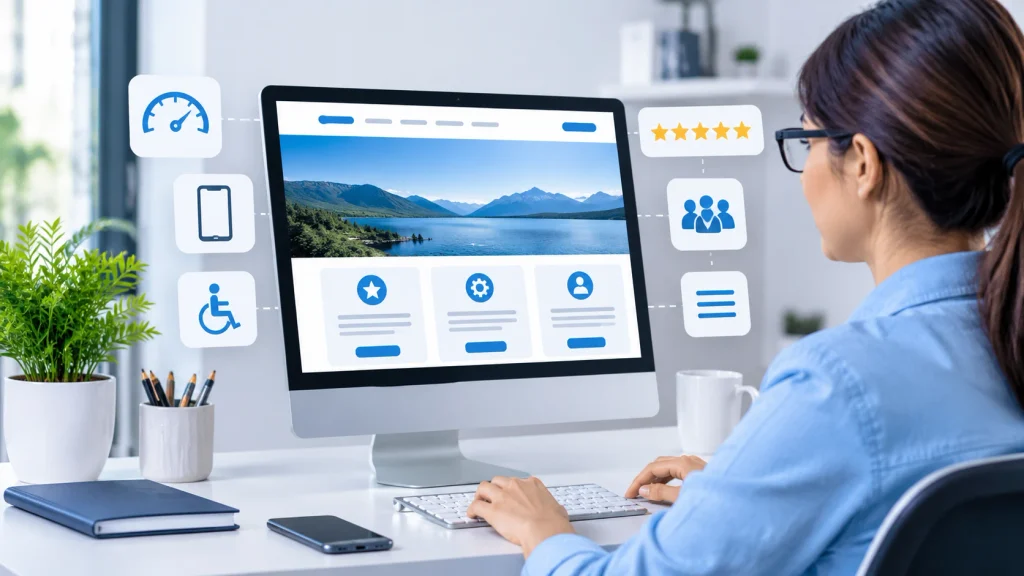
Website user experience describes how visitors interact with a website and how they feel while exploring its different pages.
It includes every aspect of their interaction, from opening the homepage to finding information and completing an action.
A positive user experience makes a website simple, useful, accessible, and enjoyable to explore. On the other hand, poor website design, confusing menus, broken links, and slow-loading pages can create frustration.
For example, imagine visiting an online shopping website where product categories are clearly displayed, images load quickly, and the checkout process is simple. Visitors can quickly locate the information they need without any difficulty, creating a positive website experience.
Some important elements of website UX include:
- Navigation: Helps visitors move between different pages easily.
- Website speed: Allows pages and content to load quickly.
- Mobile responsiveness: Makes the website work properly on different screen sizes.
- Visual design: Creates an attractive and organised appearance.
- Content readability: Makes information easy to understand.
- Accessibility: Allows people with different abilities to use the website.

Why Is Website User Experience Important?
User experience plays an important role in website performance and customer satisfaction. When visitors find a website easy to use, they are more likely to explore additional pages, understand the business, and interact with its services.
Here are some reasons why website UX matters:
- Improves visitor engagement: A well-organised website encourages visitors to explore more pages and spend time understanding the content.
- Builds brand trust: A professional and functional website creates a positive impression and makes a business appear more reliable.
- Supports conversions: Simple forms, clear buttons, and easy navigation help visitors complete actions such as making purchases or contacting a business.
- Reduces frustration: A user-friendly website prevents common problems such as confusing menus, broken links, and difficult checkout processes.
- Supports SEO: A user-friendly website with mobile responsiveness and good loading speed helps improve the overall browsing experience and supports SEO performance.
How To Create A Better Website User Experience: 10 Effective Tips
Improving website UX does not always require a complete website redesign. Small improvements in design, navigation, speed, and content can make a noticeable difference.
Let’s explore some effective ways to create a better browsing experience.
1. Create Simple And Clear Website Navigation
Website navigation allows visitors to easily find the information they need. When the navigation is unclear or confusing, users may lose interest and leave without exploring other pages.
A clear navigation menu makes it easier to move between important sections such as Home, About, Services, Blog, and Contact.
Avoid adding too many menu items because they can make the navigation confusing. Organise related pages under suitable categories and use simple labels that clearly explain what visitors will find.
Tips for better website navigation:
- Keep the main navigation menu simple.
- Use clear and understandable menu labels.
- Make important pages easy for visitors to access and locate.
- Add internal links to connect related pages.
- Ensure the navigation menu functions smoothly on smartphones and tablets.
2. Improve Website Loading Speed
Website loading speed has a significant impact on the overall user experience. Visitors usually prefer websites that load quickly, while slow-loading pages may cause them to leave before exploring the content.
Slow-loading websites can also reduce visitor engagement and make it difficult for users to explore different pages. Large image files, unnecessary plugins, excessive scripts, and poor hosting performance are some common reasons behind slow loading times.
Here are some practical methods to make your website load faster:
- Compress images before uploading them.
- Use modern image formats such as WebP.
- Remove unnecessary plugins and scripts.
- Enable browser caching.
- Choose reliable web hosting.
- Use a CDN to deliver website content faster to visitors from different locations.
You can also test your website using Google PageSpeed Insights to identify performance issues and understand which areas need improvement.
3. Make Your Website Mobile-Friendly
Many visitors access websites through mobile phones and tablets. If a website only looks good on desktop screens, mobile visitors may struggle to read content, click buttons, or navigate between pages.
Responsive web design helps a website automatically adapt its layout to fit different screen sizes. It helps maintain a consistent experience across desktops, tablets, and smartphones.
Ways to improve mobile usability:
- Use responsive website layouts.
- Choose readable font sizes.
- Avoid horizontal scrolling.
- Ensure images fit different screen sizes.
- Keep mobile navigation simple.
Check your website on different devices to find layout issues and provide a smoother browsing experience.
4. Maintain A Clean and Consistent Website Design
Visual design influences how visitors perceive a website. A cluttered layout, too many colours, and inconsistent fonts can make pages difficult to understand.
A simple and organised design allows visitors to concentrate on important information without getting distracted by unnecessary elements. It also creates a professional appearance and supports brand consistency.
Choose a suitable colour palette and use consistent typography throughout your website. Maintain enough spacing between sections, headings, images, and paragraphs.
Important design practices include:
- Use a consistent colour scheme.
- Choose easy-to-read fonts.
- Maintain proper spacing between elements.
- Avoid unnecessary animations and pop-ups.
- Use high-quality and relevant images.
- Maintain a consistent layout across pages.
Remember that a good website design should support usability rather than focus only on appearance.
5. Create Readable And Helpful Website Content
People mainly visit websites to find useful information, explore services, or learn about specific topics. Visitors should be able to understand the information without struggling through long, complicated paragraphs.
Well-organised content helps users find answers quickly and understand what a business offers. Use simple language, descriptive headings, short paragraphs, and bullet points to make information easier to read.
Tips for improving content readability:
- Write short and meaningful paragraphs.
- Use H2 and H3 headings to organise information.
- Highlight important points using bold text.
- Add bullet points wherever necessary.
- Avoid unnecessary technical terms.
- Include relevant images to support your content.
For instance, a service page should describe the services provided, explain their benefits, and guide visitors on how to get in touch with the business.
6. Add Clear Calls-To-Action (CTAs)
A call-to-action (CTA) guides visitors towards the next step they should take on a website. It guides users towards important actions such as contacting a business, requesting a quote, subscribing to a newsletter, or purchasing a product.
When CTAs are unclear or missing, visitors may understand the information but not know what action to take next.
Use action-oriented phrases that explain what happens when someone clicks a button.
Examples include:
- Contact Us
- Get a Free Consultation
- Explore Our Services
- Read More
- Get Started
- Shop Now
Add CTAs to suitable sections where visitors may want to take action. Ensure the buttons are clearly visible and function properly on both desktop and mobile devices.
7. Improve Website Accessibility
Website accessibility means making your website usable for people with different abilities and needs. An accessible website makes it easier for a wider range of visitors to understand the information and use its features.
Accessibility improvements also make websites easier to navigate for general users.
Some useful accessibility practices include:
- Add descriptive alt text to meaningful images.
- Maintain clear colour contrast between text and background to improve readability.
- Provide captions or transcripts for relevant video and audio content.
- Ensure visitors can navigate through the website easily using a keyboard.
- Use descriptive labels for forms and buttons.
- Organise content with proper heading structures.
Following recognised accessibility guidelines, such as the Web Content Accessibility Guidelines (WCAG), can help improve the overall usability of a website.
8. Keep Website Forms Simple And User-Friendly
Forms allow visitors to contact businesses, request information, register for services, and complete other important actions.
However, complicated forms with too many fields can discourage users from submitting their information.
A simple form makes the process faster and more convenient.
Best practices for website forms:
- Ask only for necessary information.
- Use clear labels for every field.
- Provide helpful error messages.
- Make form buttons easy to identify.
- Ensure forms work properly on mobile devices.
- Show a confirmation message after successful submission.
For example, a basic contact form may only require a visitor’s name, email address, subject, and message. Avoid requesting unnecessary details that do not support the purpose of the form.
9. Use Relevant Images And Visual Elements
Images and visual elements make website content more attractive and easier to understand. They also help visitors learn about products, services, and ideas more effectively.
However, adding too many images or large media files can affect website performance and make the layout look crowded.
Select relevant visuals that match your content and keep the design consistent across all website pages.
Consider these practices:
- Use relevant and high-quality images.
- Optimise image sizes before uploading.
- Avoid unnecessary stock images.
- Use icons to support important information.
- Maintain consistent image dimensions where suitable.
- Add descriptive alternative text to meaningful images.
A balanced combination of text and visuals can make your website more interesting without affecting readability.
10. Regularly Test And Improve Your Website
Website improvement should be an ongoing process. User expectations, technologies, and browsing habits change over time. Therefore, regularly reviewing your website helps identify issues and maintain a good experience.
Testing also helps you understand how visitors interact with your website and which areas need attention.
You can use different tools to monitor website performance and user behaviour.
Some useful tools include:
- Google Analytics 4: Helps understand website traffic, engagement, and visitor behaviour.
- Google PageSpeed Insights: Measures page performance and provides improvement suggestions.
- Google Search Console: Helps monitor search performance, indexing, and website issues.
- Microsoft Clarity: Provides session recordings and heatmaps to understand how visitors interact with website elements.
Regularly check your website, repair broken links, refresh outdated content, and ensure essential features like contact forms and navigation menus work properly.
Common Website UX Mistakes To Avoid
A website may look attractive but still provide a poor user experience when essential usability features are overlooked.
Below are some common website usability mistakes that owners should avoid:
- Too many pop-ups: Frequent pop-ups interrupt visitors and make browsing frustrating.
- Complicated navigation: Confusing menus can make it harder for visitors to locate important information.
- Slow-loading pages: Large images and unnecessary scripts can reduce website loading speed.
- Poor mobile design: Small text and buttons can make it difficult for visitors to browse on mobile devices.
- Unclear CTAs: Visitors may not understand what action they should take next.
- Broken links: Links that lead to missing pages reduce trust and create frustration.
- Outdated content: Old information can confuse visitors and reduce confidence in a business.
Finding and fixing these problems helps make your website easier to use and provides visitors with a better browsing experience.
How Does User Experience Affect SEO?
User experience and SEO work together to improve overall website performance. SEO helps visitors find your website through search engines, while good UX makes it easier for them to explore and interact with its content.
Google considers page experience factors, including Core Web Vitals, when evaluating website performance. However, providing a good user experience alone does not guarantee better search rankings. Search visibility also depends on content relevance, quality, technical SEO, and other ranking factors.
Here are some ways UX improvements can support your SEO efforts:
- Better mobile usability: A responsive website ensures visitors can browse and access content easily on different devices.
- Improved page performance: Faster-loading pages help visitors access information more easily.
- Clear content structure: Well-organised headings help visitors understand the content and find relevant information easily.
- Better internal navigation: Relevant internal links help visitors discover related content.
- Accessible content: Clear text, image descriptions, and logical layouts make information easier to use.
A website should always be created with visitors’ needs and convenience as the top priority. When visitors can easily access useful information, they have a better reason to continue exploring your website.
Conclusion
Creating a positive website user experience is essential for establishing a strong online presence. A well-designed website allows visitors to find information, explore services, and connect with a business easily.
Learning how to create a better website user experience helps businesses build user-friendly websites that keep visitors engaged and encourage them to take action.
By focusing on simple navigation, faster loading speed, responsive design, readable content, clear CTAs, and accessibility, you can create a website that meets visitors’ expectations.
As a digital marketing consultant in Thrissur, I understand the importance of creating user-friendly websites that help businesses build a strong online presence and connect with their target audience.
Knowing how to improve website user experience requires continuous effort rather than a one-time change. Regularly testing your website, studying visitor behaviour, and making necessary updates can help meet users’ needs. A website that focuses on usability can build customer trust, strengthen relationships, and support long-term business growth.

Frequently Asked Questions (FAQs)
1. What Are some Effective Ways To Enhance Website User Experience?
You can improve website user experience by creating simple navigation, optimising loading speed, using responsive designs, writing readable content, and adding clear calls-to-action. Testing your website regularly helps you find and resolve problems that affect its usability.
2. What Key Factors Contribute To A Positive Website User Experience?
The main elements of good website UX include easy navigation, fast loading speed, mobile responsiveness, attractive design, readable content, accessibility, and functional website features. These features make it easier for visitors to browse the website and access its content without difficulty.
3. Why Does Website User Experience Matter For SEO?
Website user experience contributes to SEO by making a website easier to use, mobile-friendly, and faster to load. Google also considers page experience signals, such as Core Web Vitals, although UX is just one factor in an overall SEO strategy.
4. Why Does Website Loading Speed Matter For User Experience?
Website speed determines how quickly visitors can view and access the information they need. Slow-loading pages can frustrate users and encourage them to leave before exploring the website. Optimising images, using caching, and reducing unnecessary scripts can help improve loading performance.
5. Which Tools Can Help Me Evaluate Website User Experience?
You can use Google Analytics 4, Google PageSpeed Insights, Microsoft Clarity, and Google Search Console to understand different aspects of website performance. These tools help identify technical issues, analyse visitor behaviour, and find opportunities for improvement.
6. How Are UI And UX Different From Each Other?
User Interface (UI) focuses on the visual elements of a website, such as colours, buttons, typography, and layouts. User Experience (UX) refers to how visitors feel and interact with a website as they explore its features. UI and UX work together to make a website easy and enjoyable to use.
7. How Frequently Should I Evaluate My Website’s User Experience?
You should review your website regularly, ideally as part of your ongoing website maintenance. Check loading speed, mobile responsiveness, navigation, broken links, forms, and visitor behaviour to identify areas that need improvement.